PCA Technology Requirements and Digital Readiness
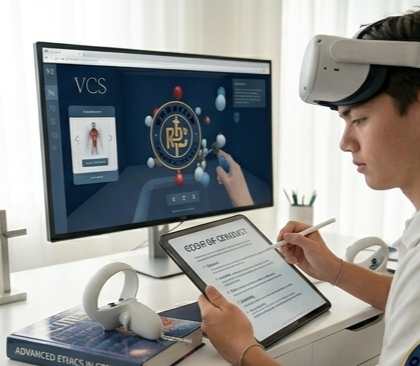
Paragon Technology Requirements and Digital Readiness
1. Purpose
Paragon Christian Academy is a virtual learning institution. To ensure student success, families are responsible for maintaining the minimum technology requirements necessary for participation in online learning.
Reliable access to technology is essential for instruction, communication, assignments, assessments, and participation.
2. Minimum Technology Requirements
Each student must have access to:
Device Requirements
One of the following:
Desktop computer
Laptop computer (recommended)
Chromebook (recommended for basic learning)
Tablets and smartphones are not recommended as primary learning devices, as they may limit access to assignments, testing platforms, or classroom participation.
Recommended Minimum Specifications
Operating System
Windows 11 or newer
macOS 13 or newer
Updated ChromeOS
Processor
Intel i3 equivalent or higher (recommended)
Memory (RAM)
Minimum: 4GB
Recommended: 8GB+
Storage
At least 64GB available storage
3. Internet Requirements
Students must have:
Minimum Internet Speed
Download: 25 Mbps minimum
Upload: 5 Mbps minimum
Recommended
High-speed broadband internet
Stable Wi-Fi connection
Families are responsible for maintaining reliable internet access.
4. Required Software & Platforms
Students may be required to access:
Video conferencing platforms (e.g., Zoom or Google Meet)
Learning Management System (LMS)
Web browser:
Google Chrome (recommended)
Microsoft Edge
Safari
Productivity tools:
Google Workspace
Microsoft Office (if applicable)
Software requirements may change throughout the school year.
5. Audio & Video Equipment
Students should have:
Working webcam
Functional microphone
Headphones or earbuds (recommended) for minimizing distractions
6. Student Workspace Expectations
Families should provide:
Quiet learning environment
Appropriate seating/workspace
Limited distractions during school hours
Adult supervision for younger students
7. Technology Support
Paragon Christian Academy provides basic platform guidance; however:
Parents are responsible for:
Device maintenance
Internet service
Software updates
Hardware troubleshooting
The academy is not responsible for personal device repairs.
8. Cybersecurity & Safe Use
Families must ensure:
Secure passwords
Safe internet use
Proper supervision when necessary
No sharing of student login credentials
9. Technology Failure Policy
Technology issues do not automatically excuse missed work or attendance.
Families should:
Notify teachers immediately
Submit work as soon as possible
Maintain backup plans when possible
Reasonable accommodations may be considered case-by-case.
10. Acknowledgment
By enrolling in Paragon Christian Academy, families acknowledge responsibility for maintaining the technology required for student success.